
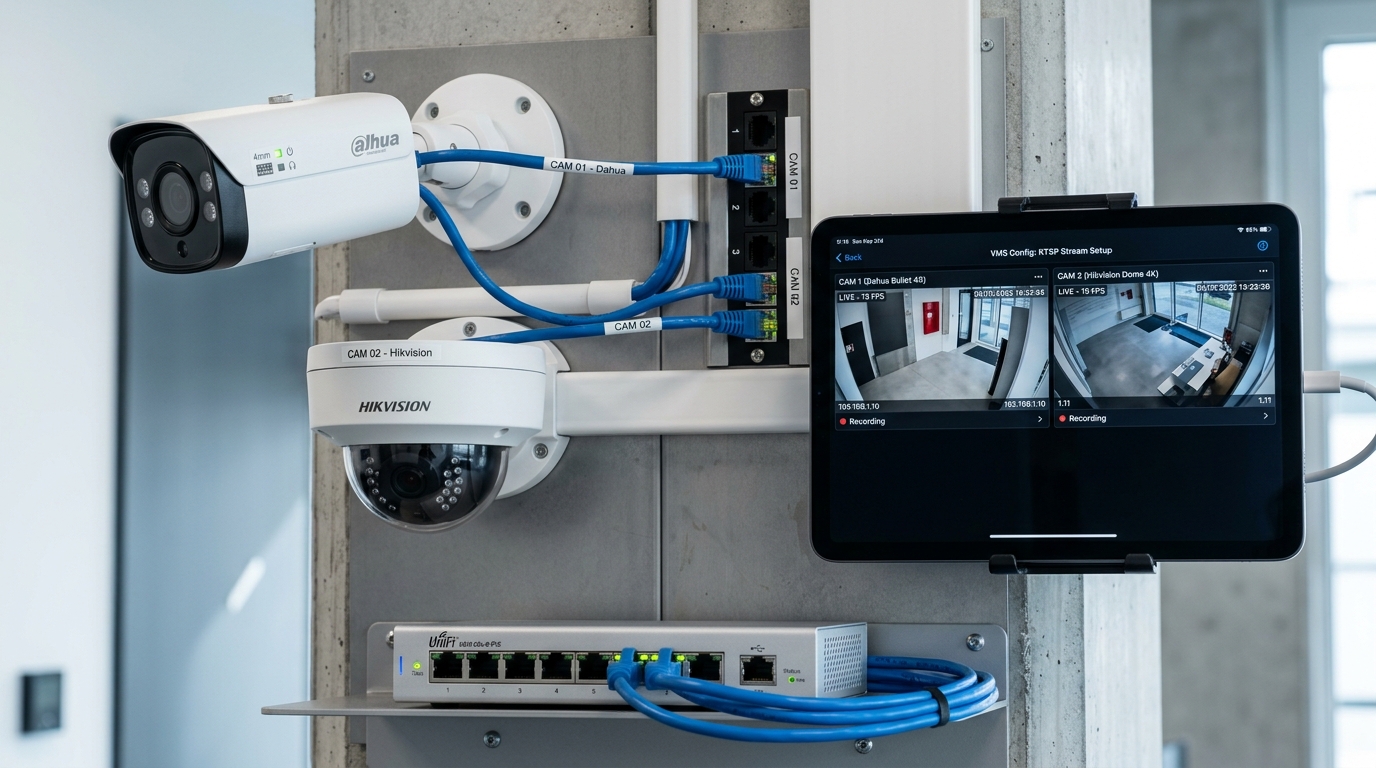
Leveraging Existing CCTV Surveillance for Attendance
One of the most cost-effective advantages of TrackingFace is that schools do not need to purchase proprietary, expensive facial terminals. If your campus already has IP surveillance cameras manufactured by Dahua, Hikvision, Uniview, or any ONVIF-compliant vendor, you can seamlessly connect their video streams into the TrackingFace Local Processing Unit.
Understanding RTSP (Real-Time Streaming Protocol)
RTSP is the standardized industrial network protocol utilized by security cameras to deliver video streams over local area networks (LAN). To connect your camera to TrackingFace, you only need its local RTSP URL string, which encapsulates credentials, IP address, port (default 554), and channel path.
RTSP Stream URL Syntax Reference
Use the authoritative table below to construct the stream URL for your specific camera hardware:
Key Troubleshooting Step: Sub-Stream vs. Main-Stream
A frequent mistake during onboarding is routing the 4K Main-Stream directly into an AI inference loop. Main streams are optimized for long-term video archiving, consuming massive bandwidth and decoding overhead.
💡 High Performance Best Practice
For facial detection, configure the Sub-Stream (s1 or stream 2) at 1080p (1920x1080) or 720p (1280x720) at 15 to 25 FPS with H.264 video encoding. This delivers pinpoint facial clarity while maintaining blazing 30+ FPS detection speeds on affordable desktop hardware.
Step-by-Step Discovery with Dahua ConfigTool or Hikvision SADP
- Locate the Device IP: Download the vendor discovery tool (Dahua ConfigTool or Hikvision SADP) on a computer plugged into the same network router or PoE switch.
- Confirm Gateway Subnet: Ensure your Local Processing Unit PC has an IP address on the same subnet (e.g.
192.168.100.x) as the NVR or camera. - Test in VLC Media Player: Open VLC → Media → Open Network Stream, paste your constructed RTSP URL, and verify that fluid video displays.
- Apply in TrackingFace Local Unit: Open the TrackingFace desktop software, navigate to Camera Settings, paste the URL, and click Test Stream.
For additional details on camera angles, height recommendations, and lighting tips, consult our dedicated Camera & IP Technical Guide.